Designing a Board Game
As you may have gathered from my previous post, I have an interest in board games. After learning how to use and import games into Tabletop Simulator I started looking at an old board game idea I had. It’s not particularly original - it’s essentially a mash-up of Abduction and Maul of America with some of my own tweaks. I’ve only just started play testing it, so it’s quite possible it turns into something else or never sees the light of day.
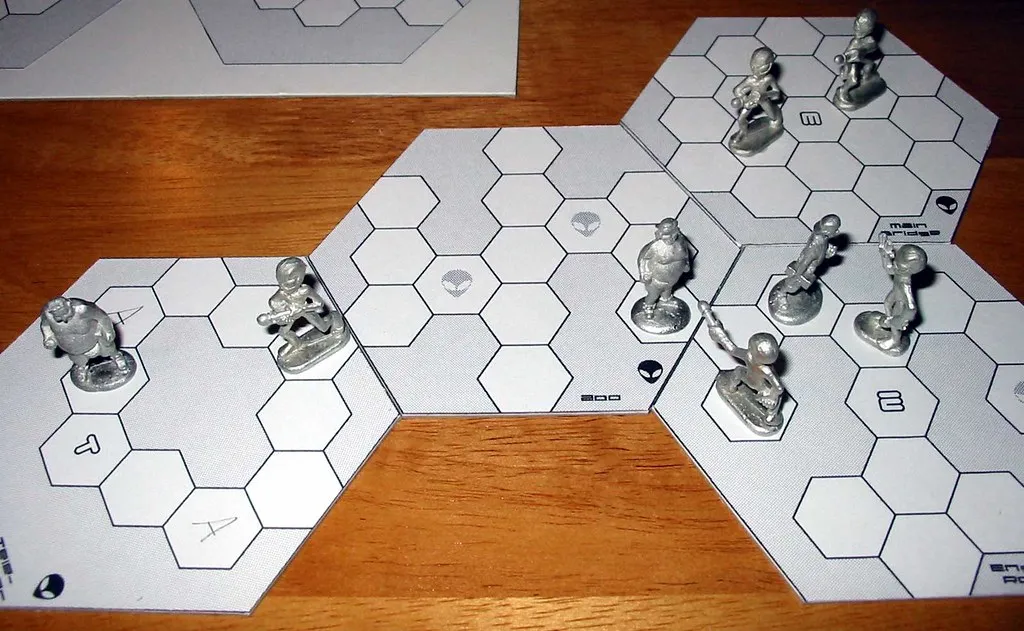
Here is the original idea from 20 years ago:
Hexagonal Math, Layouts & Vibe Coding
A problem with the original idea is that there were a lot of choke points on the tiles because the number of hexagons to design in was pretty limiting.
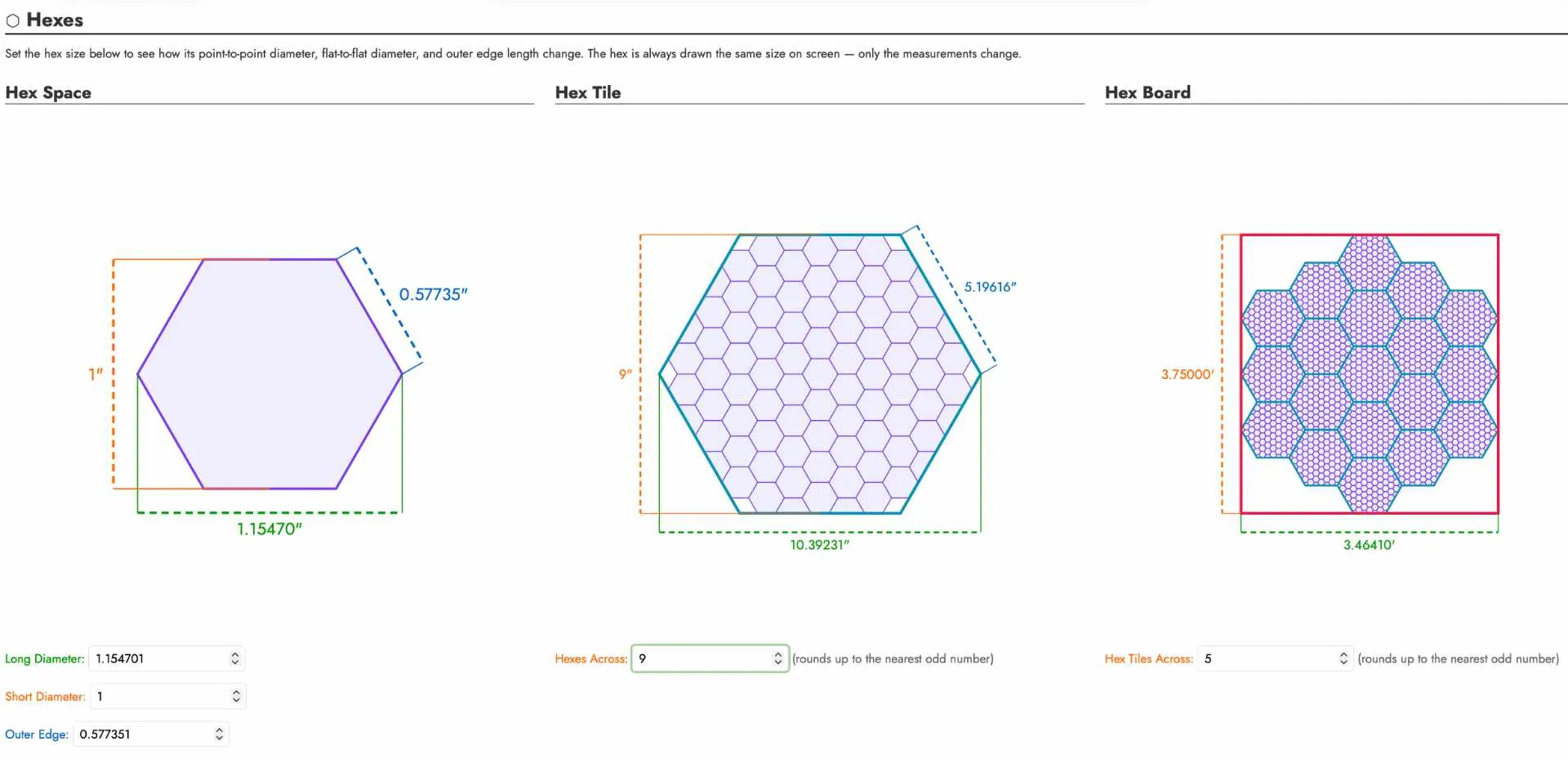
I wanted to figure out how much table space the game would take based on:
- the size of the hexagon cells
- how many hexagons across a tile would be
- how those tiles would be arranged on the table
After doing some Googling about hexagonal math and ratios, I started off with a simple spreadsheet to calculate this dynamically for me.

This did the trick but I wanted a visual representation. I used Claude Code to vibe code a set of React components to draw the cells, tiles and table layout.
I also did some experiments using Affinity Designer to determine if and how I wanted the hexagon cells to be offset and how many half-hexes that would leave at the eges.
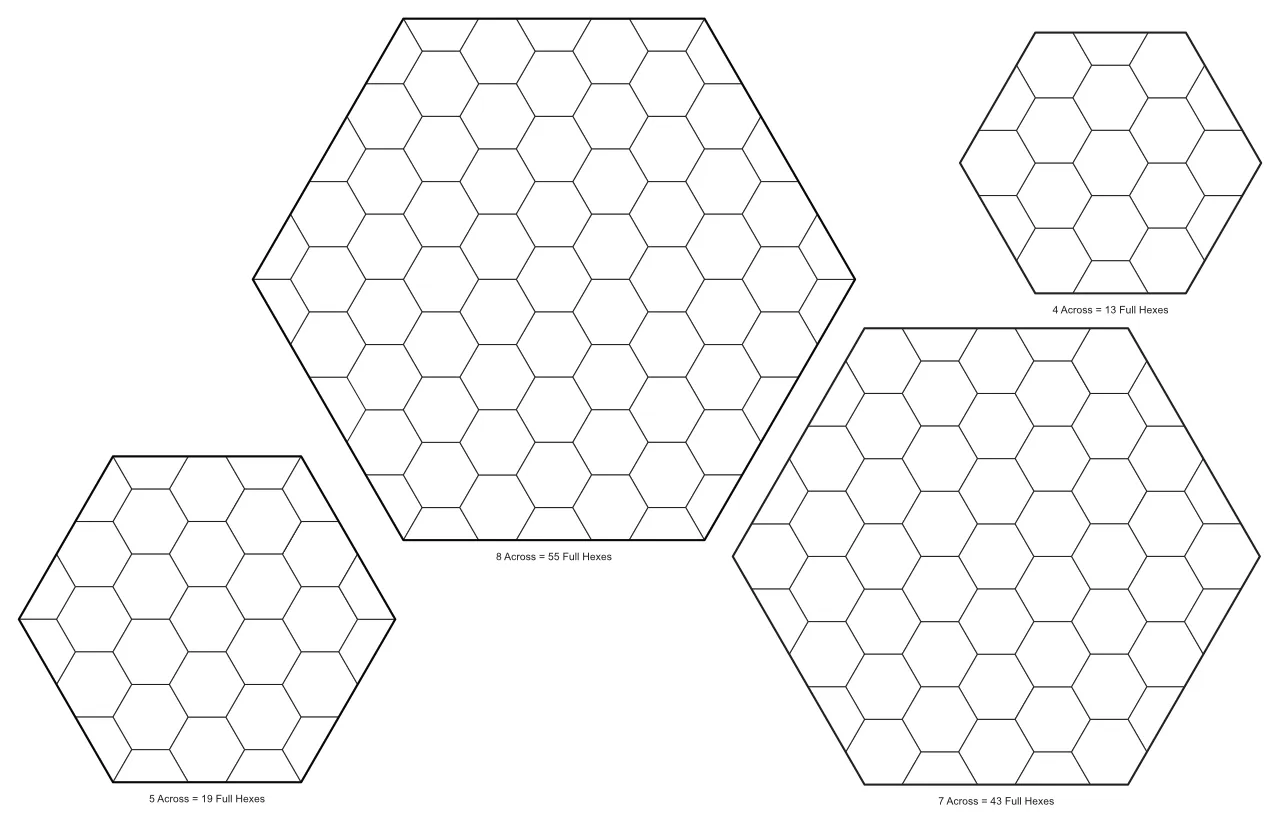
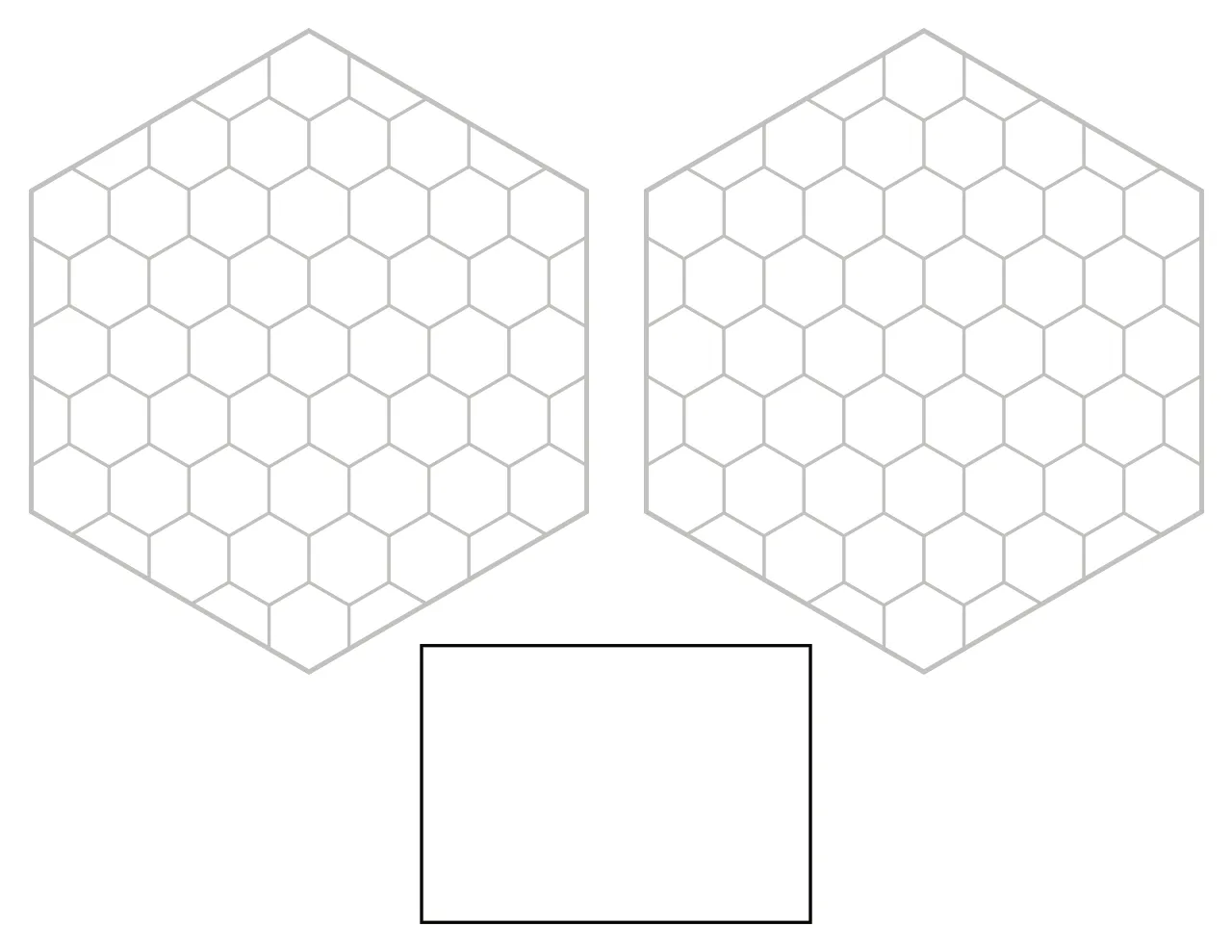
This helped me decide that I wanted 1 inch hex cells and hex tiles with 7 cells across the “short diameter”. And after all that I found that 2 hex tiles of that size don’t fit well together on a piece of 8 1/2” by 11” paper. So I ultimately scaled it back a bit to not waste as much paper. I also slapped a 2.5” by 3.5” card template in there to make use of the extra space.
Lamination & Dry-Erase Markers
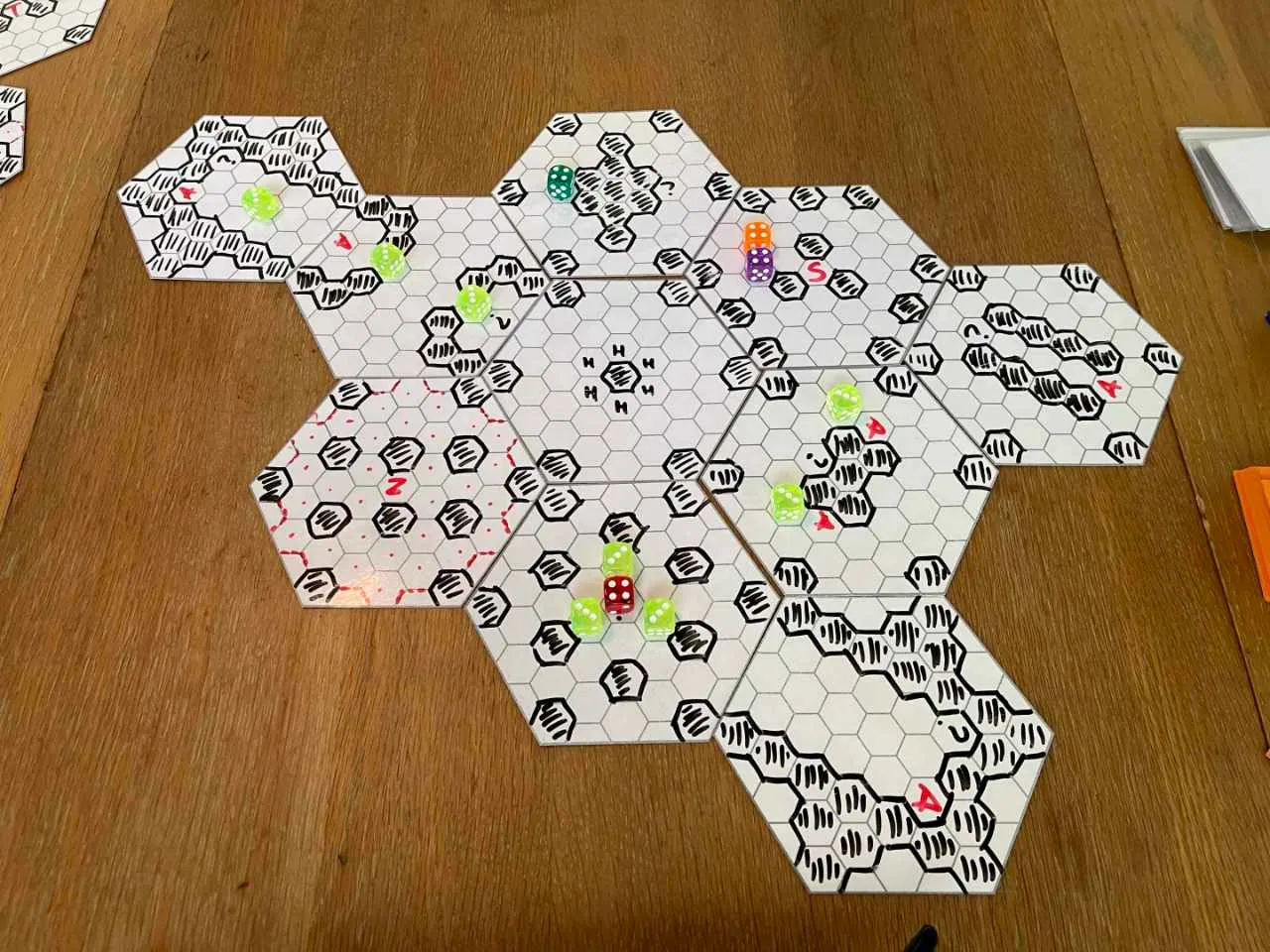
Since I’m really early in the design process, I wanted a way to iterate on tile designs without needing to print and cut hexagon tiles for every new idea or tweak. I bought a laminator and some dry-erase markers so I could draw, erase and re-draw on the files as I came up with ideas.
Tabletop Simulator & More Vibe Coding
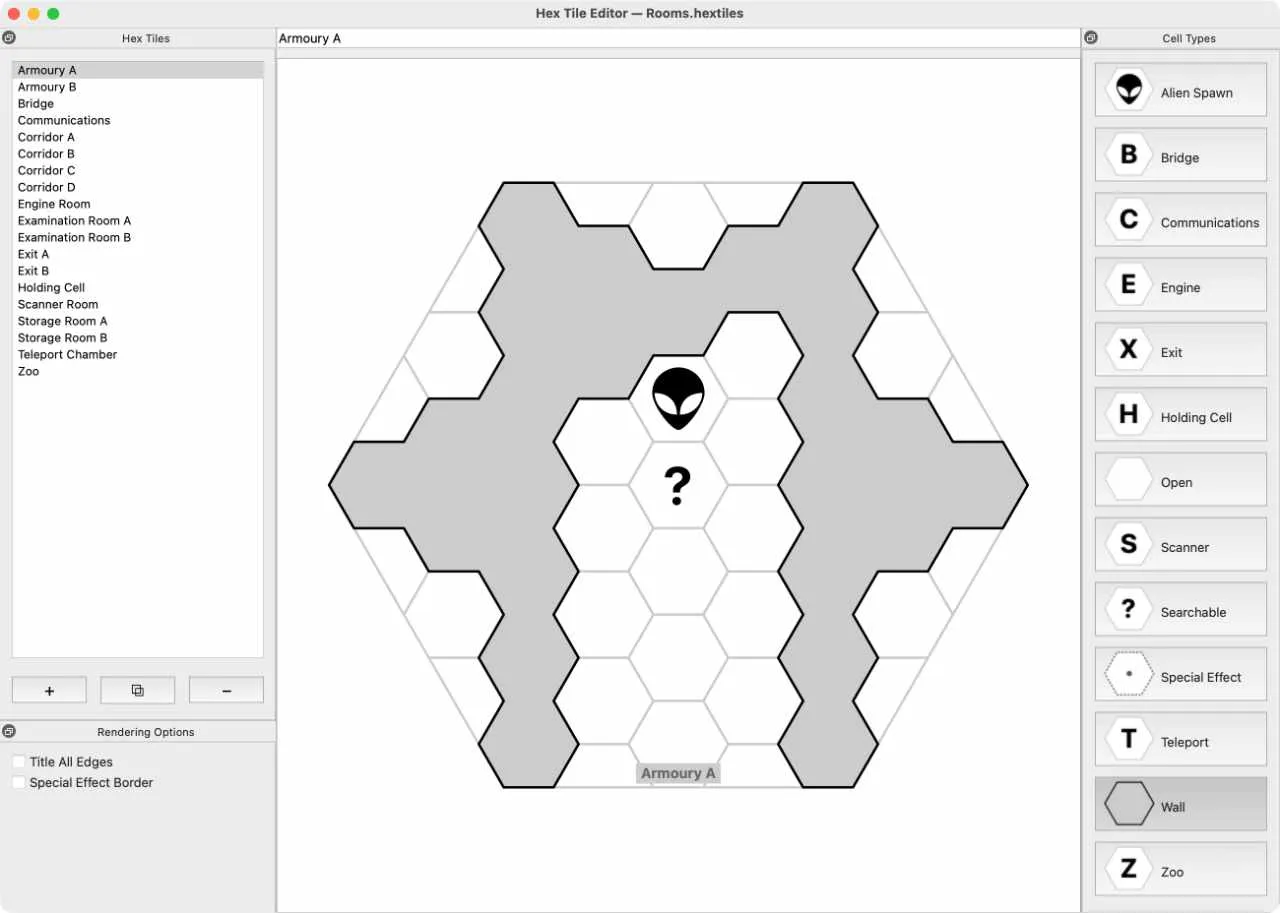
I figured Tabletop Simulator would be a good way to play test the game with folks that are not in my immediate area and I needed a way to get the tiles (and cards) in a format useable by Tabletop Simulator. I also wanted a digital way to iterate on tile designs quickly without having to manually mock them up in Affinity Designer.
I turned to Claude Code again to create a Python/Qt application for designing tiles. This was an iterative process starting with the simplest functionality and gradually adding more features as needed. It includes the ability to export PDFs, tile sheets and indivudual PNGs of the tiles.
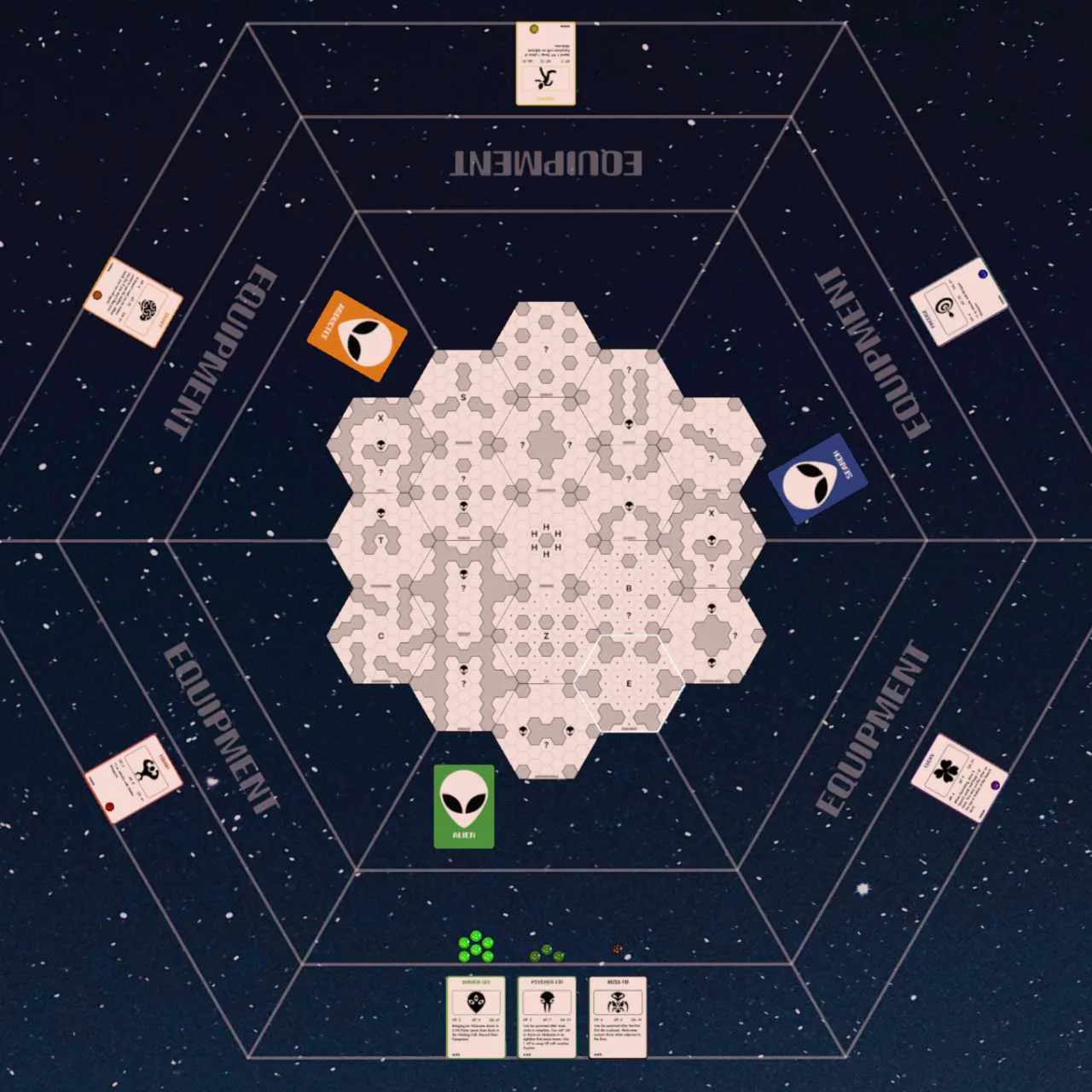
With that done I was able to get the game setup in Tabletop Simulator. While working on how to lay out the game I ended up having a lot of fun creating a “play mat” to help line everything up. It was a lot of fun to iterate on all of this.
Learning Screentop.gg
During this work I joined the Discord for Break My Game to eventually be able to play test it with others. Their preferred virtual tabletop is Screentop.gg which I had not heard of before.
I was reluctant at first to try and learn yet another tool but after watching Jack Rosetree’s Screentop.gg 101 it seemed a lot less daunting.
One difference between Tabletop Simulator and Screentop is that Screentop’s assets can not be more than 4096x4096 pixels in size. The card sheets I was generating using Squib were too wide. I also didn’t want to re-configure my imports in Tabletop Simulator so I just updated my Squib recipe to generate VTT-specific files:
save_pdf file: group[:pdf], sprue: "letter_poker_card_9up.yml", crop_marks: true

# Tabletop Simulator - All cards can be in one sheet
save_sheet prefix: "tts_" + group[:sheet], columns: 10

# screentop.gg - Assets must not be larger than 4096x4096
save_sheet prefix: "screentop_" + group[:sheet], columns: 5, rows: 3
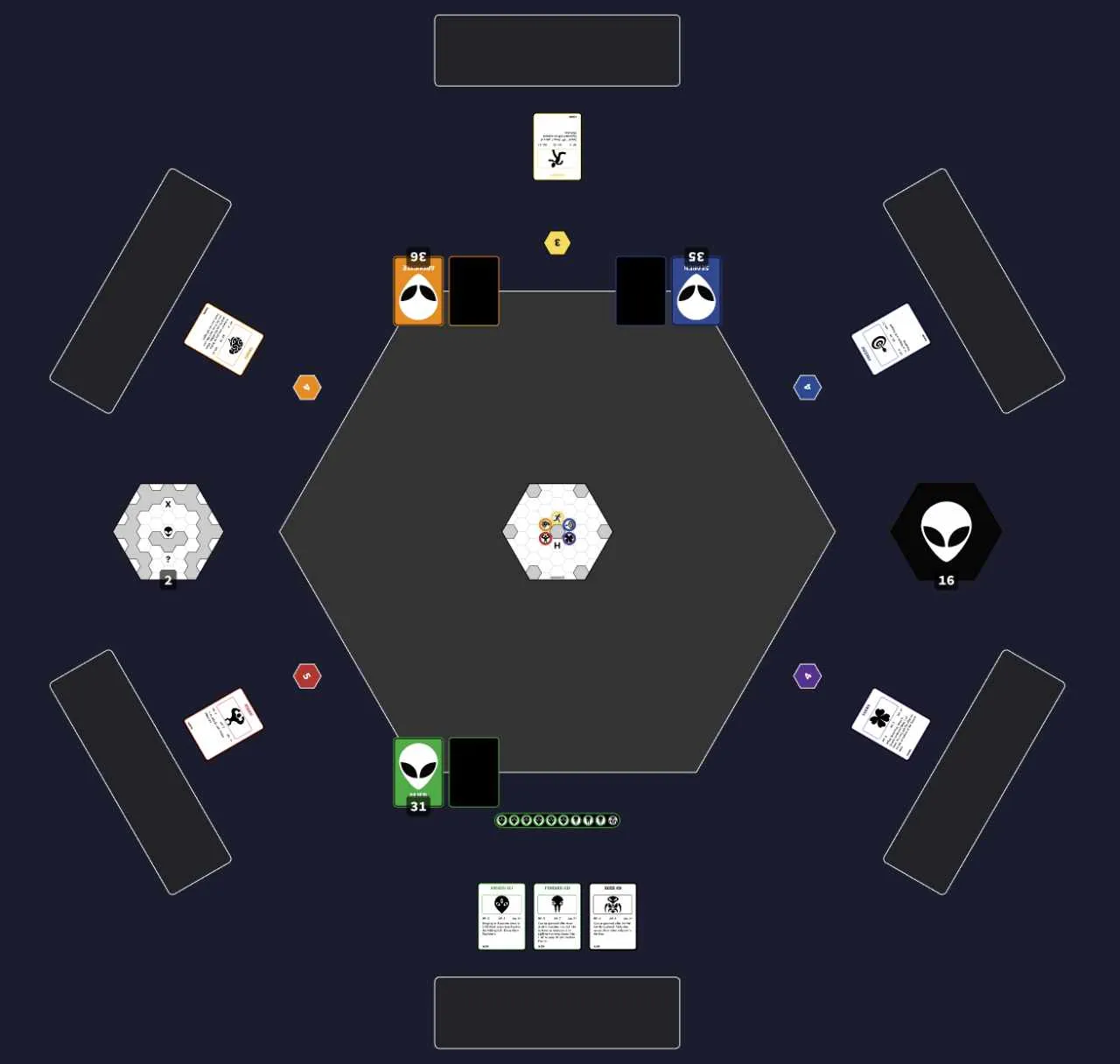
Now I have the game set up in Screentop and I think I might like it better than Tabletop Simulator - the pure 2D/top down view makes it easier to navigate and interact with the game.
Play Testing & Getting Ahead Of Myself
From the videos I’ve watched and books I’ve read, a common piece of advice is to keep things very scrappy while play testing. This way you aren’t running up against a sunken cost fallacy - “But I spent so much time crafting these components, I can’t change the design now!”.
I knew I was getting ahead of myself by putting so much work into components before the gameplay has been proven out but it was hard to stop while having so much fun designing things, learning how to use these tools and seeing it finally work.
I played an in-person version of the game yesterday with a couple of friends and I’m not sure it’s actually fun yet. But even if I put this fairly unoriginal idea back on the shelf, I’ve learned to use a bunch of different tools along the way and had fun doing so.